

# PokerStars HUD
PokerStars remains one of the toughest poker rooms. HUDs are allowed, but some features are restricted by the site's rules. To stay competitive, you need reliable stats, quick reads, and a good understanding of player pool tendencies.
Table of Contents:
Why use Hand2Note on PokerStars?
Set Up Hand2Note for PokerStars
# Why use Hand2Note on PokerStars?
Hand2Note follows all PokerStars HUD rules automatically. It displays only the statistics allowed during play and disables restricted features.
After your session, every Hand2Note feature becomes available. Review hands, analyze opponents, and study the player pool without restrictions.
# More Useful Information in Your HUD
Even with PokerStars restrictions, you still get:
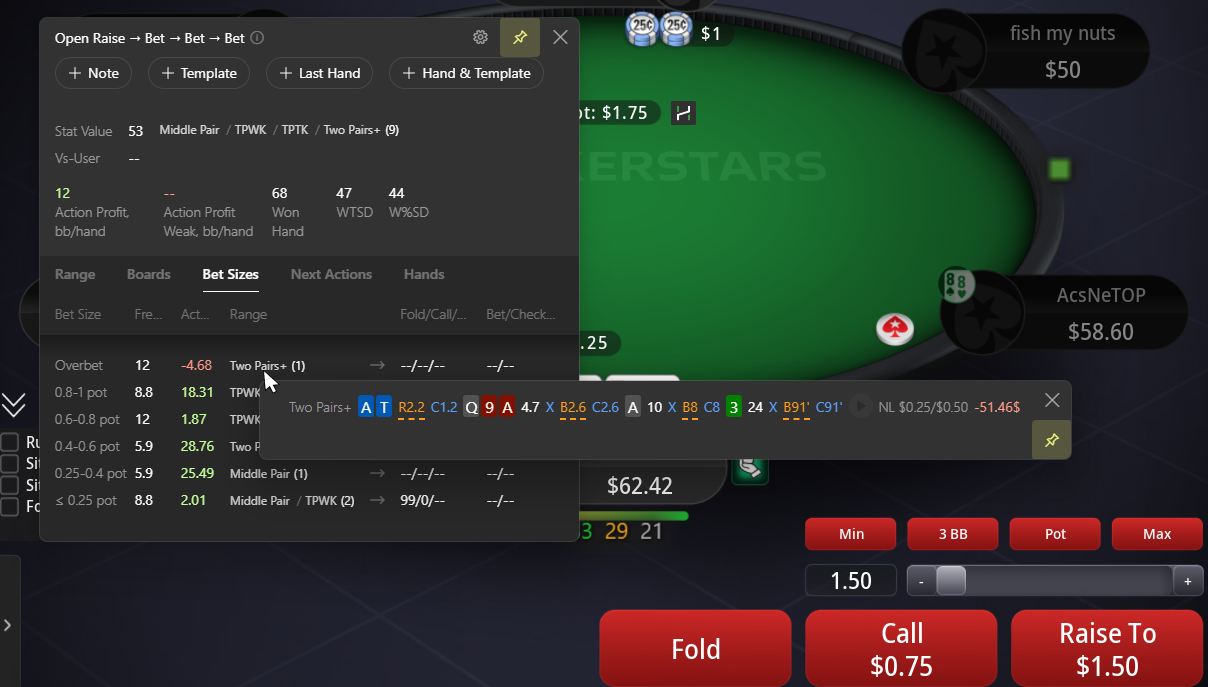
- Stat popups with additional information;
- Reg-vs-Fish Statistics Exclusion;
- Other PokerStars-compliant HUD features.
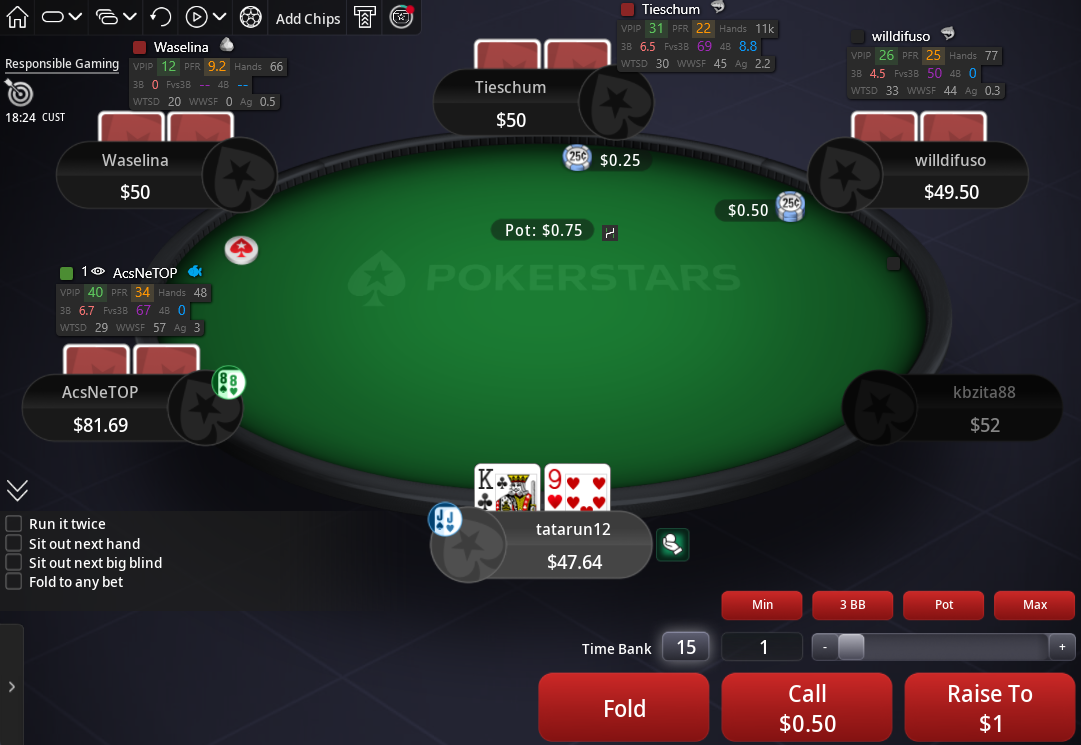
Most Hand2Note features work the same way on PokerStars as they do on other supported poker rooms.
# Find Leaks in Your Game
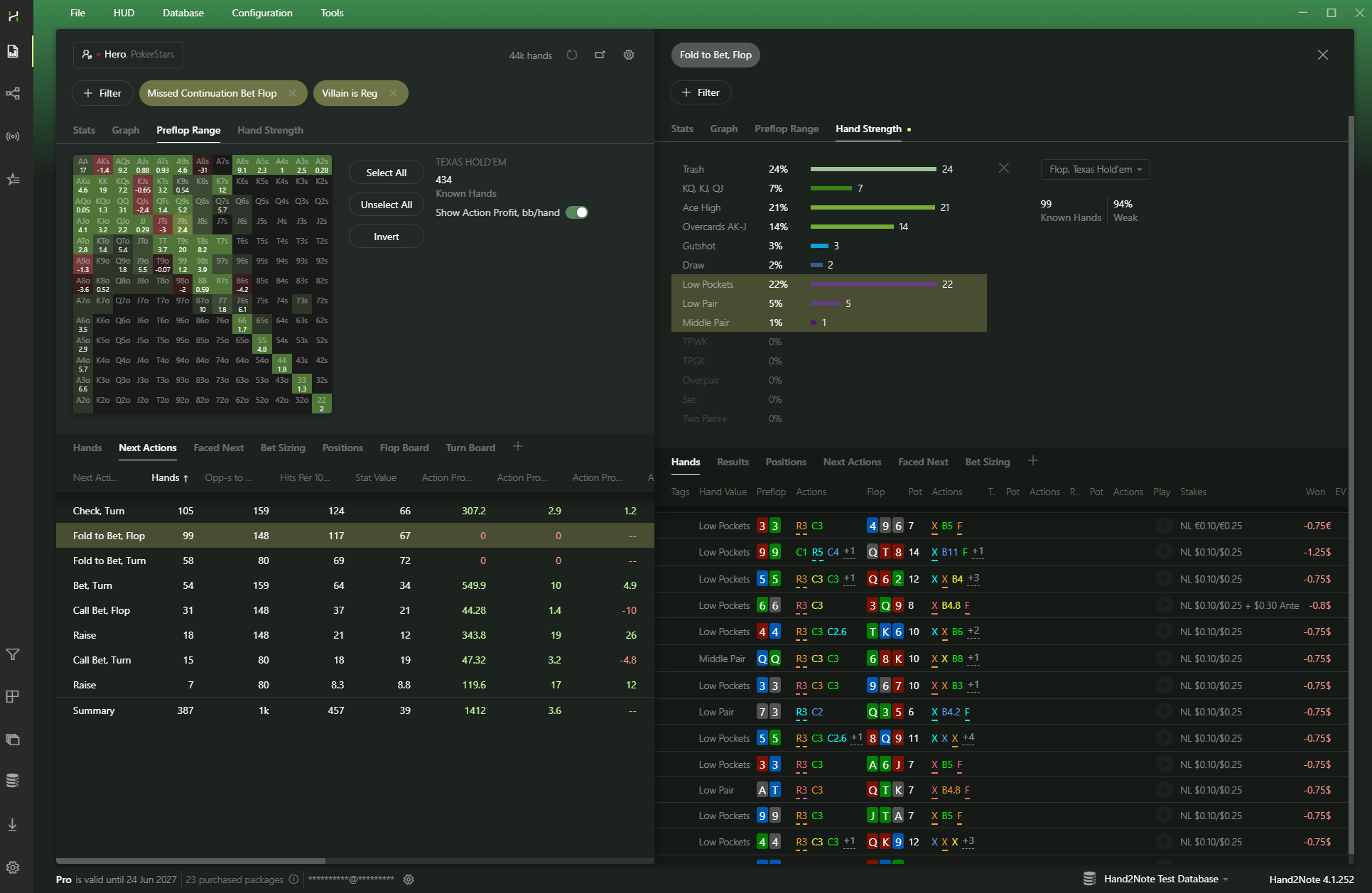
Reports help you find leaks, break down difficult hands, and improve your decisions.
Use filters to find hands in seconds, compare different lines, and analyze specific opponents.
# Discover Player Pool Tendencies
Exploiting player pool tendencies is one of the core ideas behind Hand2Note.
Open the Statistics section to study PokerStars player pool trends. Find regulars' leaks, see how recreational players approach different spots, and build an exploitative strategy.
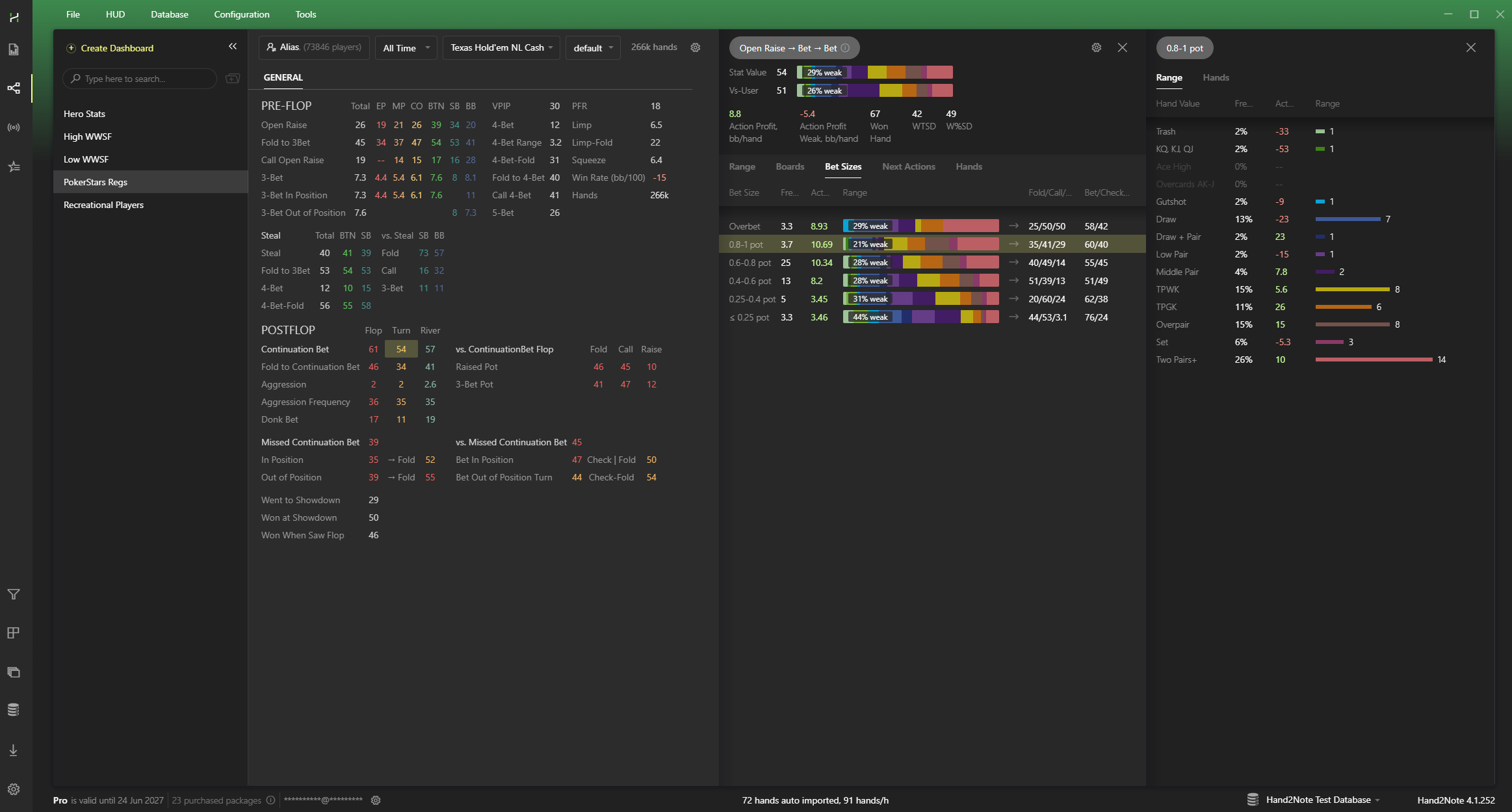
Not everyone follows GTO. Some players lack theoretical knowledge, while others adjust their strategy to exploit opponents.
Hand2Note helps you spot these patterns and turn them into better decisions at the tables.
# Used by Poker Pros
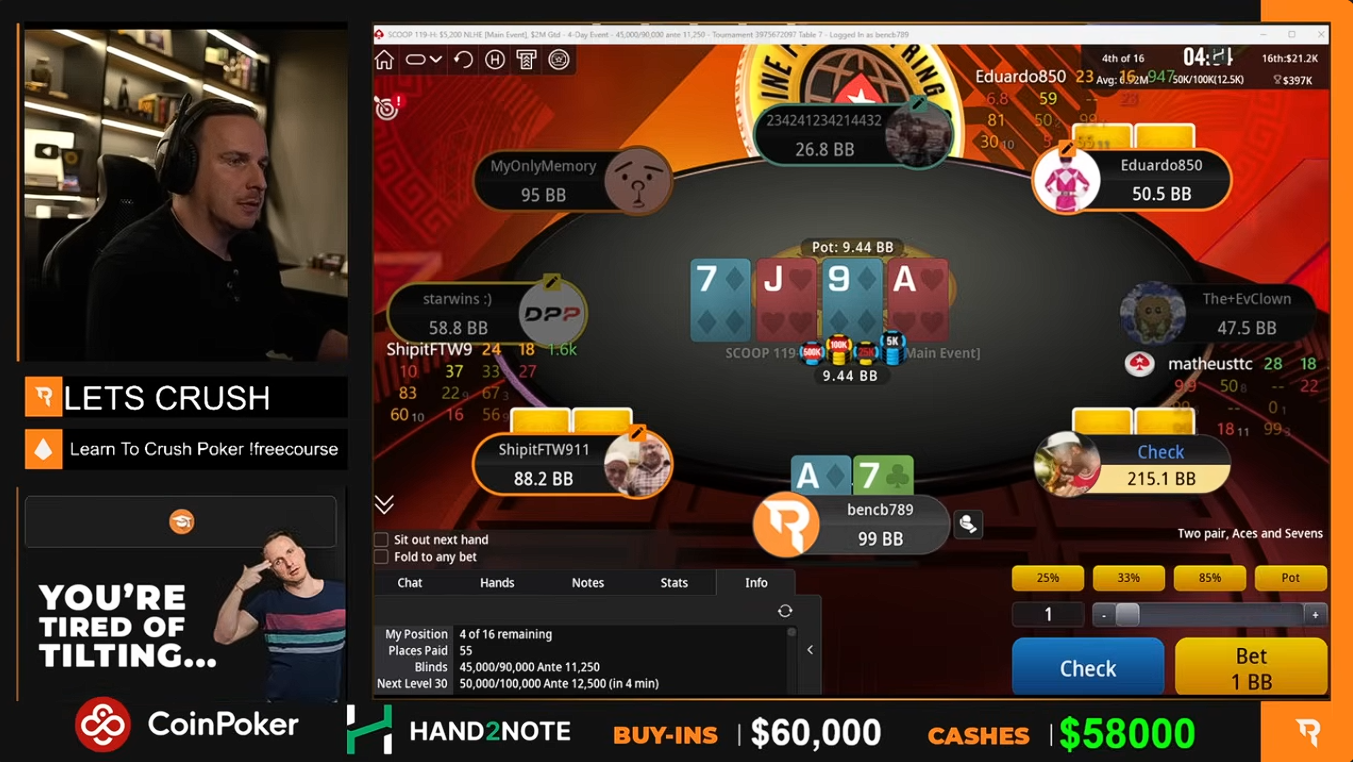
Hand2Note is trusted by professional players, coaches, and poker academies.
Our team includes Benjamin Rolle (bencb), one of the most successful online MTT players, and Saulo Costa, a Run It Once Elite coach and NLHE instructor.
# Frequently Asked Questions
# Which HUD features are restricted on PokerStars?
PokerStars restricts some HUD features during live play, including:
- Dynamic and positional HUDs
- Automatic badges
- Graphical hand strength charts (displayed as text instead)
- Other restricted HUD features
See Supported Sites for a complete overview of HUD restrictions across all supported poker rooms.
# Does Hand2Note support PokerStars on macOS?
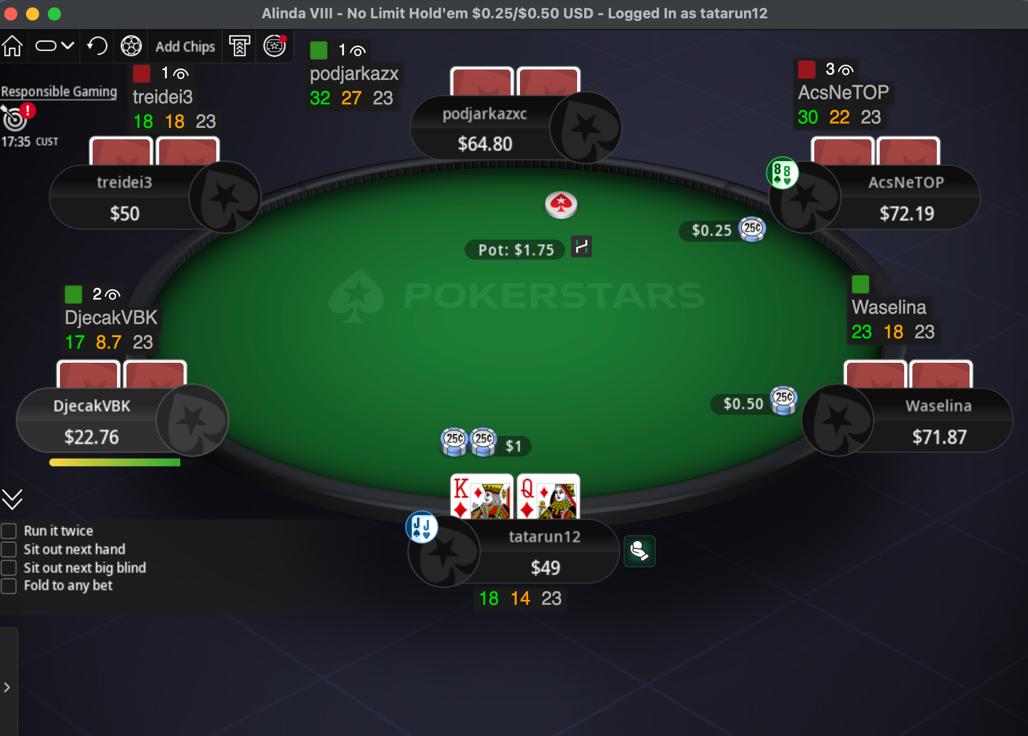
Yes. Hand2Note fully supports PokerStars on macOS.
The HUD, Reports, and other core features work the same way as they do on Windows.
# Set Up Hand2Note for PokerStars
Setting up Hand2Note takes just a few minutes. Enable hand history in PokerStars, then add the import folders to Hand2Note.
# Step 1. Install Hand2Note
Download the latest version of Hand2Note from the official website.
Launch Hand2Note.
# Step 2. Configure PokerStars
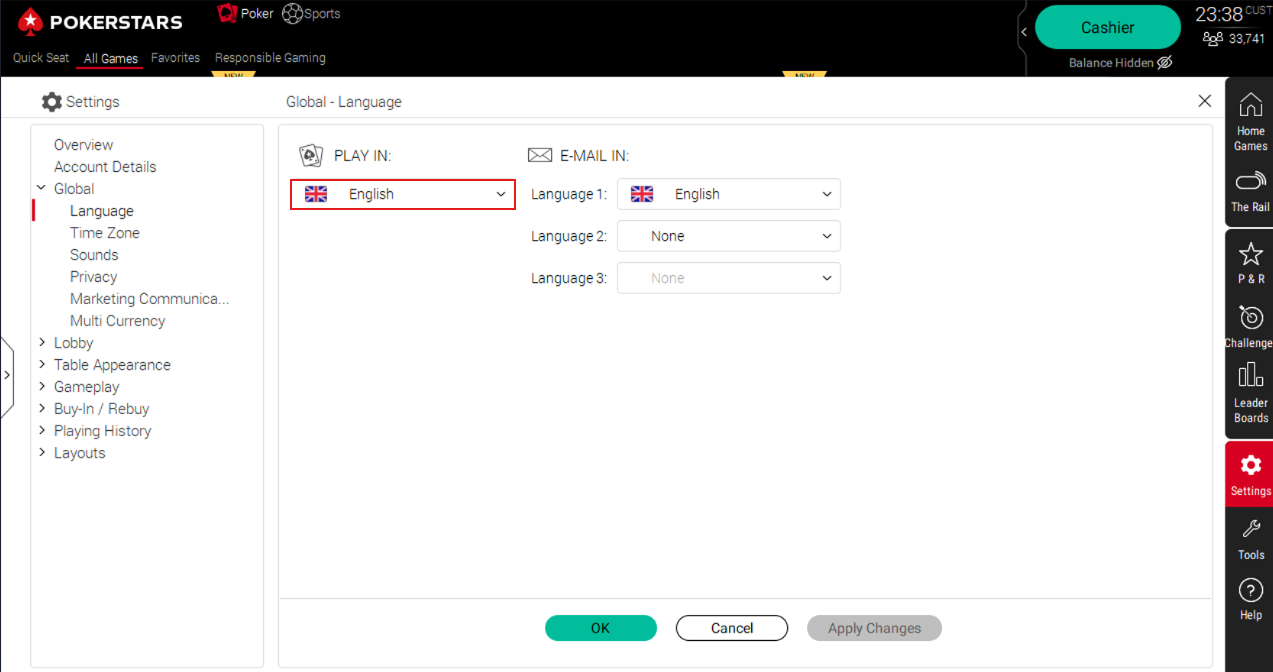
Set the PokerStars client language to English.
Next, enable hand history saving in English.
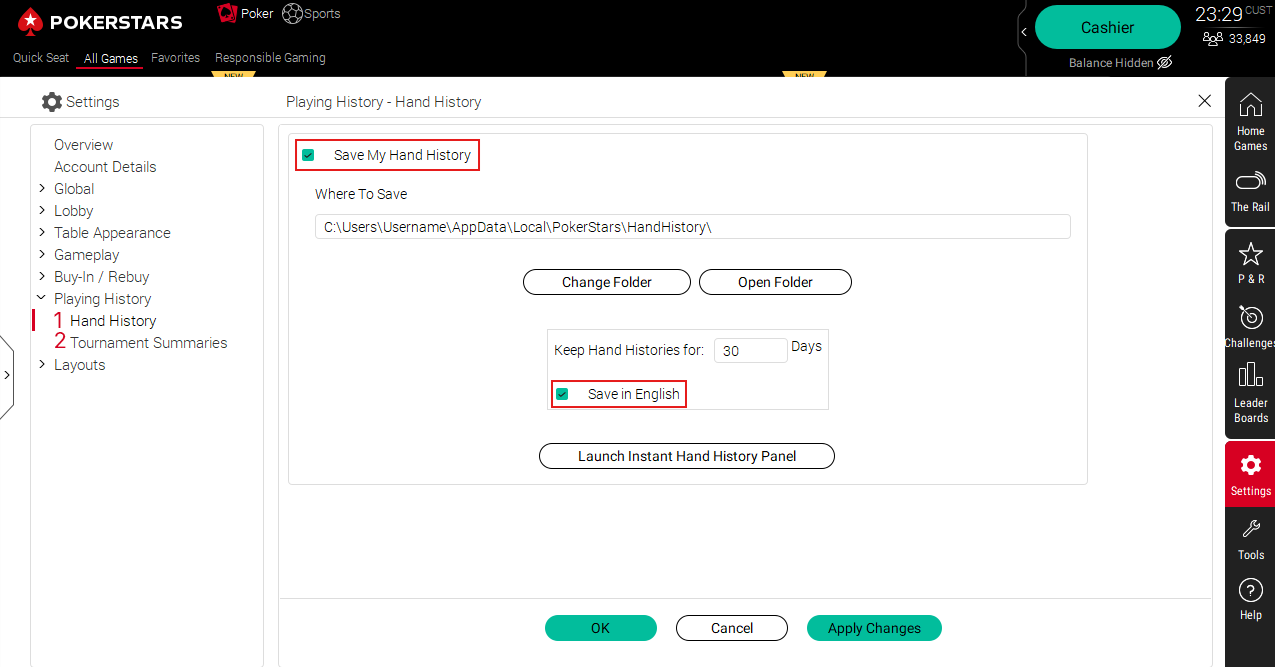
Repeat the same steps for Tournament Summaries.
# Step 3. Configure Hand2Note
Open Configuration → Auto Import.
Click Add auto import folder... and add both the Hand History and Tournament Summaries folders.
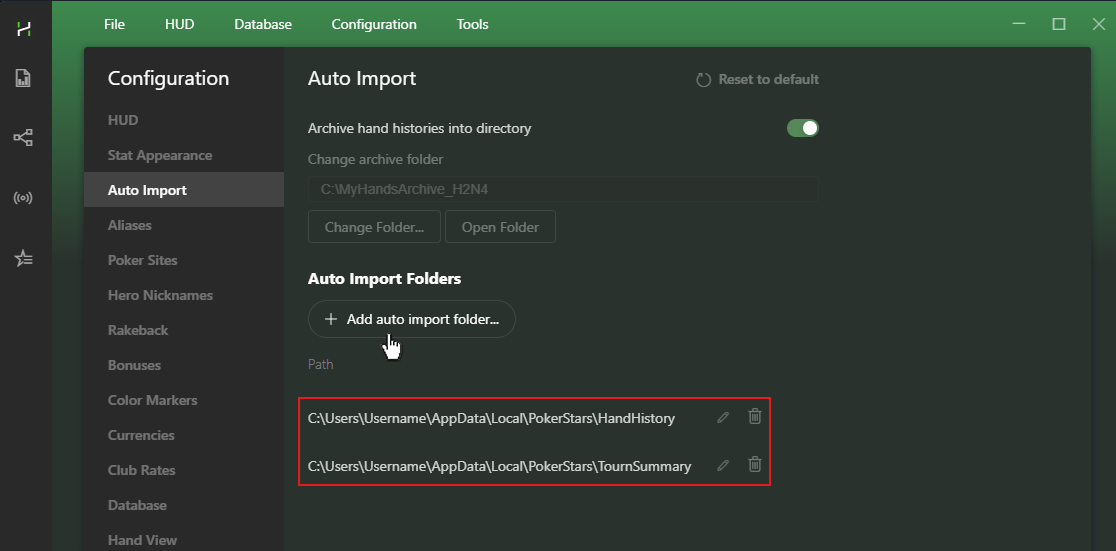
Once you're done, Hand2Note will import your hands automatically and display the HUD at your tables.
By default, Hand2Note uses a simple HUD (VPIP / PFR / Hands).
You can switch to another profile or create your own.
# Troubleshooting
# The HUD Doesn't Appear on PokerStars
Make sure you're running the English version of PokerStars. The HUD works only when the client language is set to English.
Open Updates and install the latest versions of: Hand2Note, HUD Host, PokerStars.
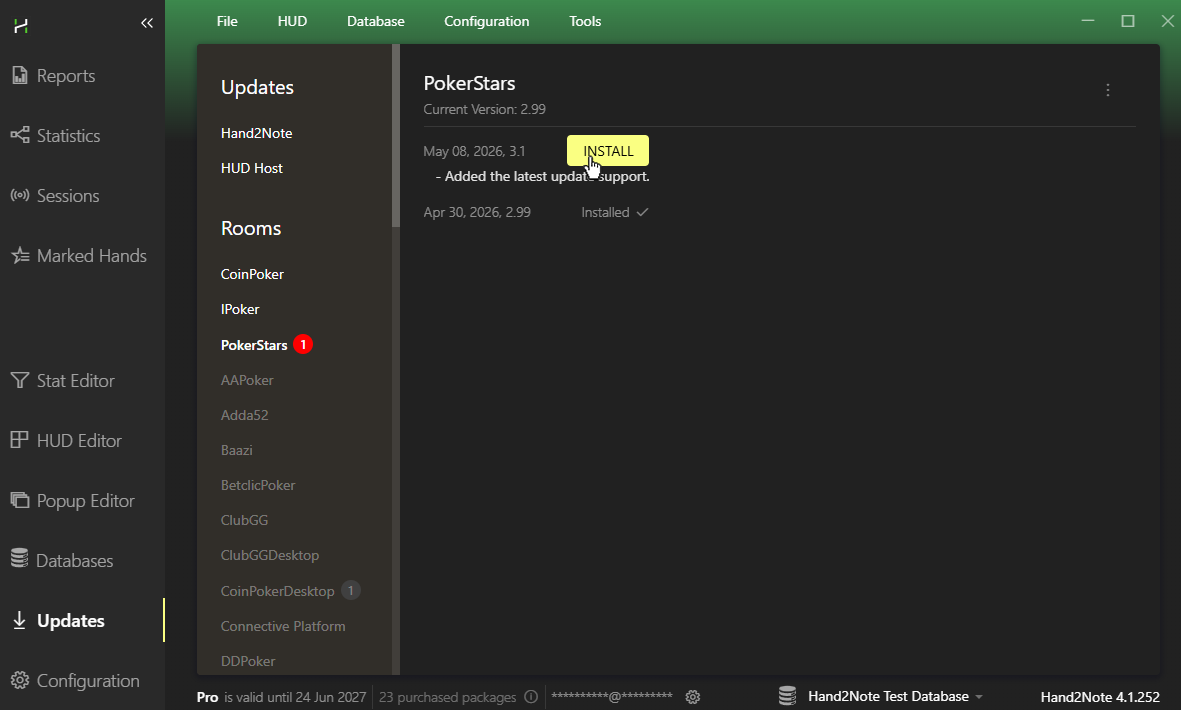
Add the Hand2Note folder to your antivirus exclusions, or temporarily disable your antivirus.
# The HUD Is Unstable on macOS
Some macOS systems require System Integrity Protection (SIP) to be disabled for the HUD to work correctly. Follow Apple's guide to disable SIP if needed.
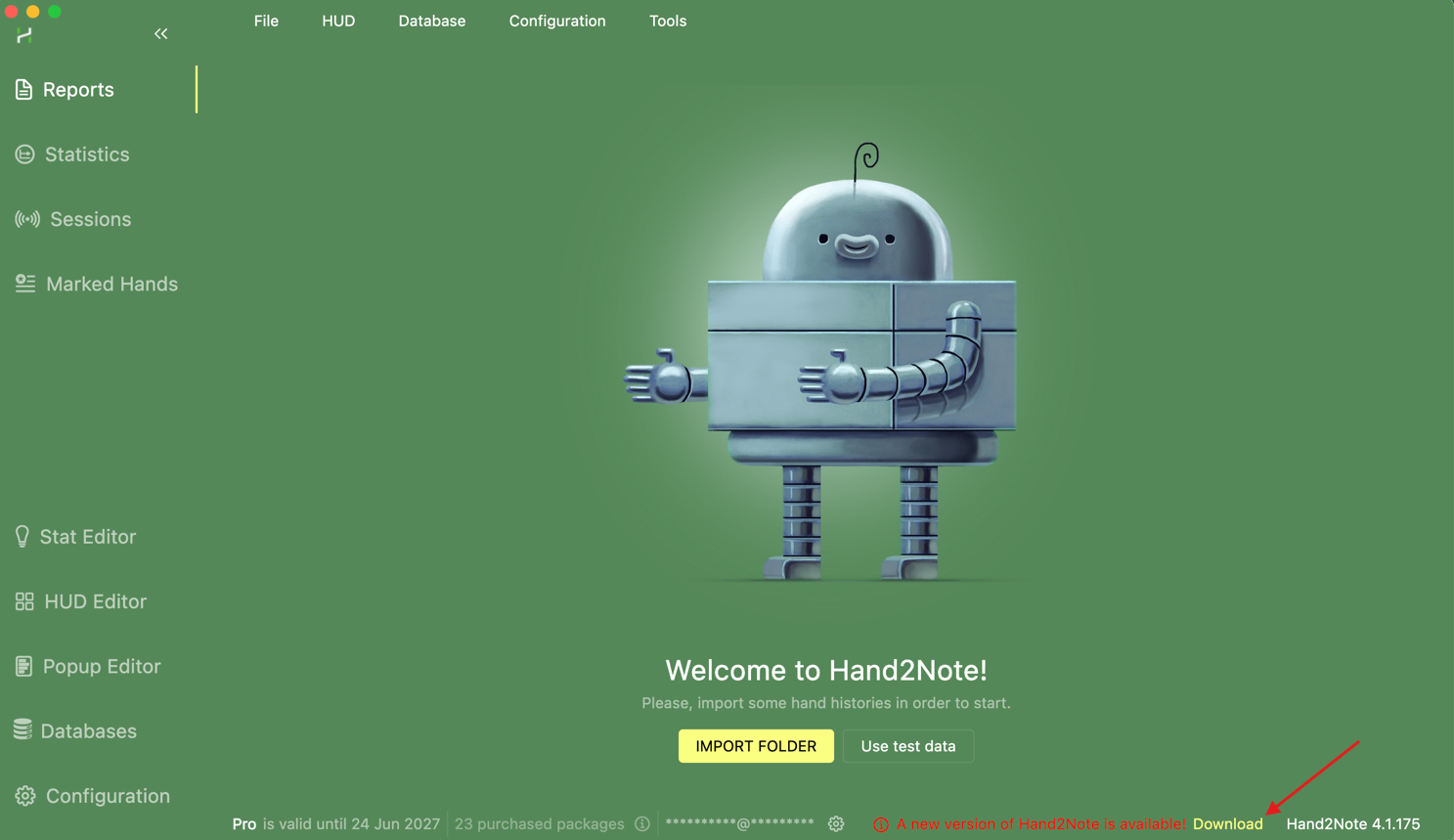
Also make sure you're using the latest version of Hand2Note.
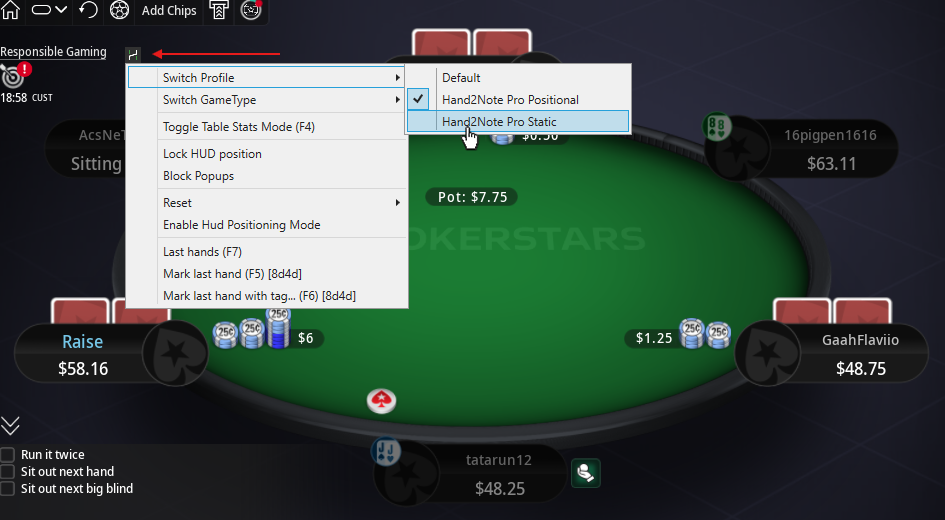
# Only the "H" Icon Appears at the Table
If the table shows only the H icon after you switch HUD profiles, the selected profile probably uses features that PokerStars doesn't allow, such as dynamic or positional HUDs.
Switch to a static HUD profile instead.
If you need help with the setup or have any questions, contact our Support Team.


